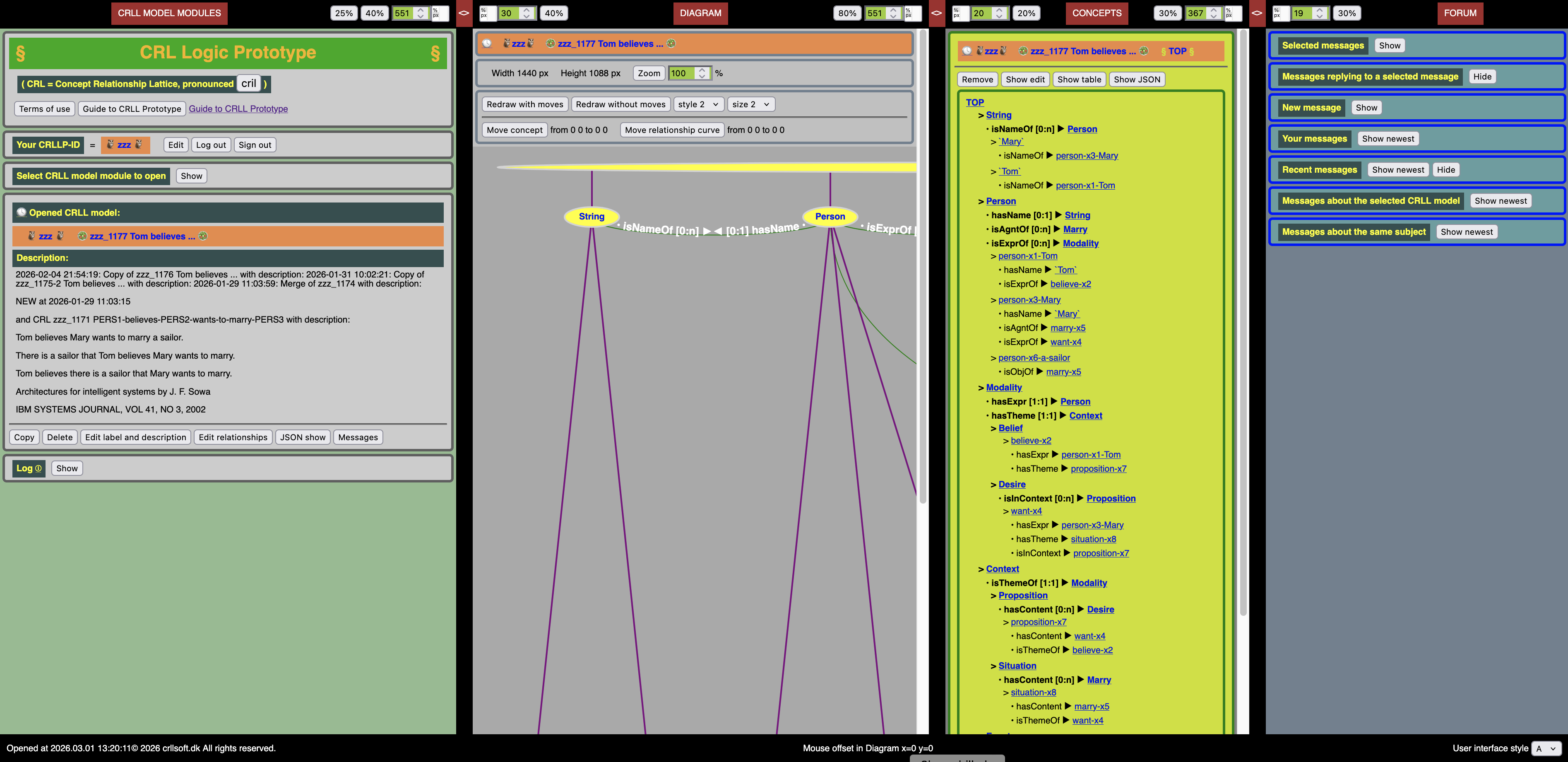
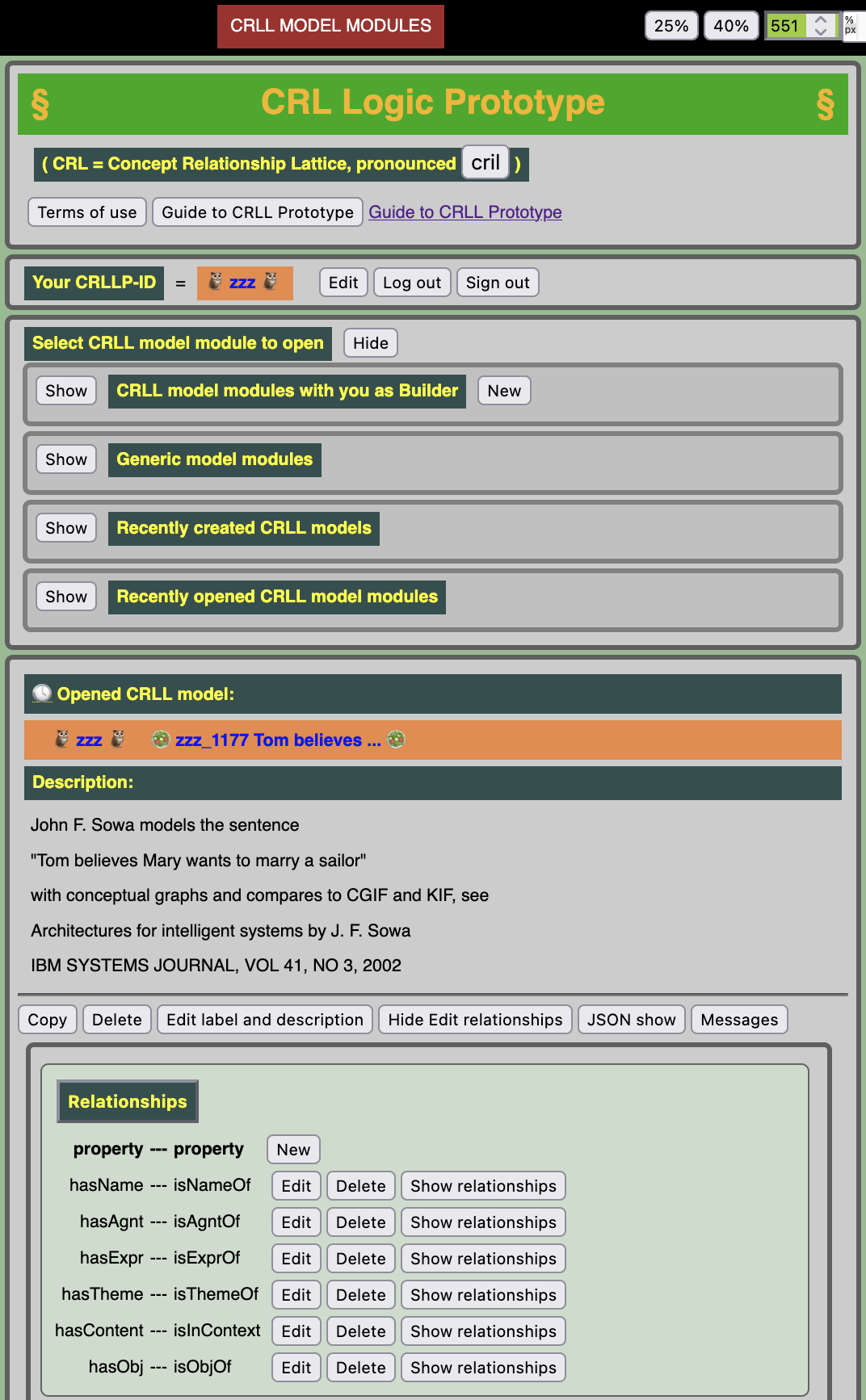
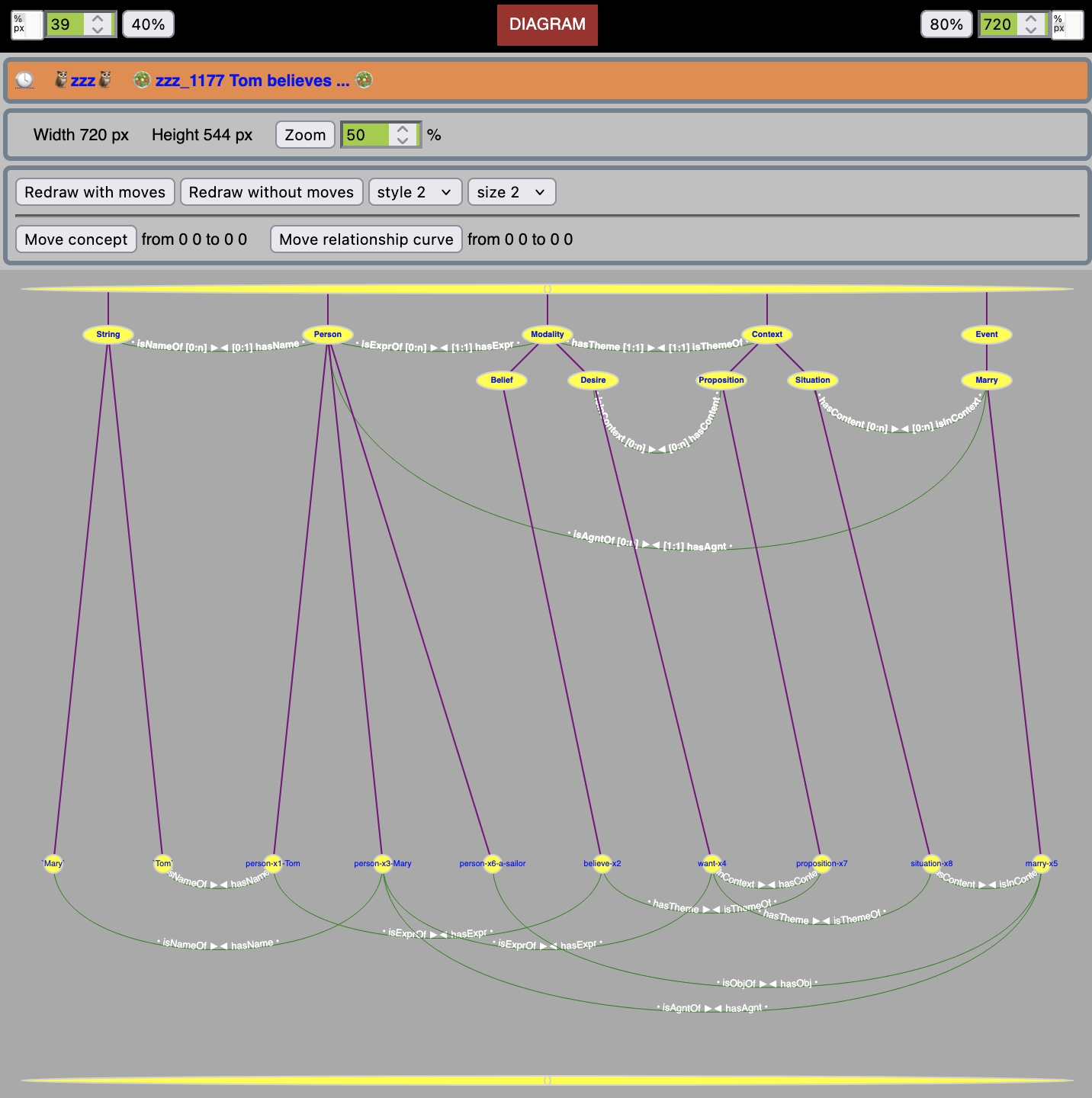
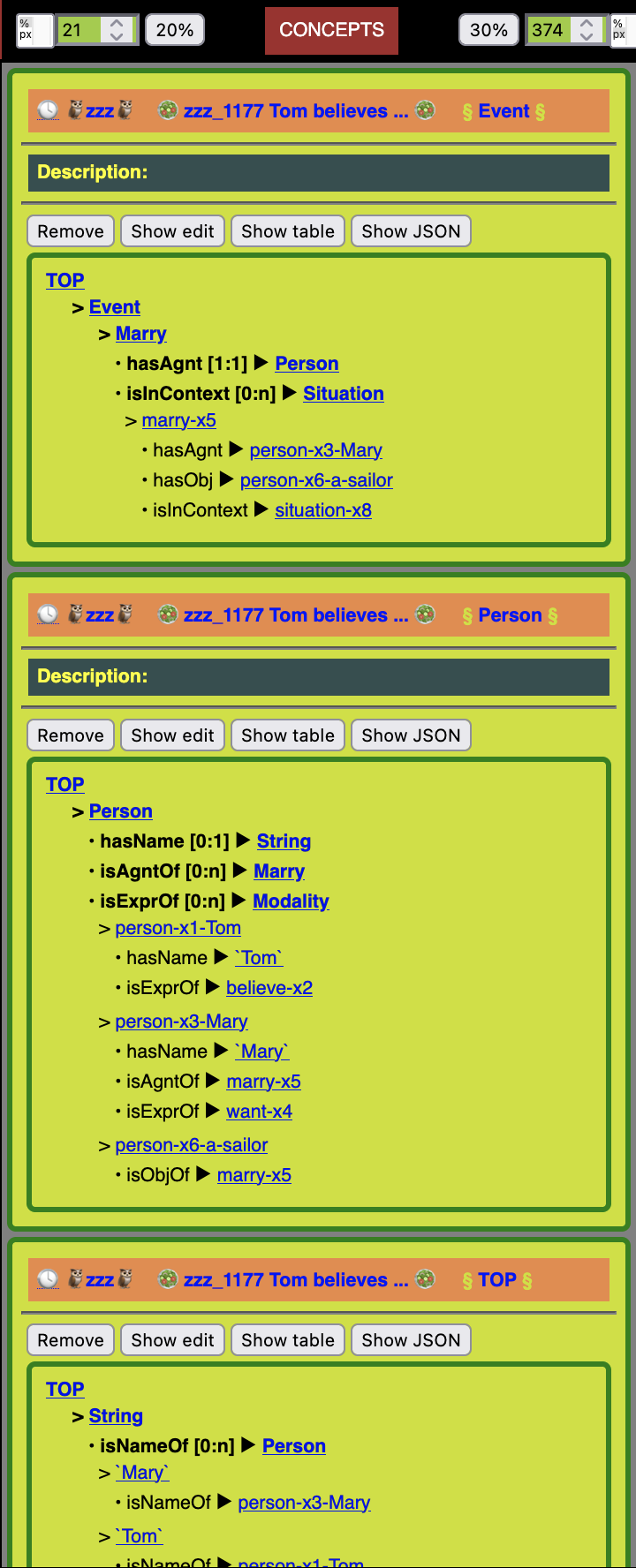
The screenshot shows the four panels for user interaction: SELECTION of CRLL model, DIAGRAM of selected CRLL model, CONCEPTS of selected CRLL model, and FORUM.
The widths of panels may be changed by the buttons at the top, and by drawing slowly left or right between the panels.
Some decisions taken for the implementation of CRLLP
Some decisions taken for the implementation of CRLLP:
Users may create CRLL models, for which they have exclusive builder/editor rights, but users do not own them,
they belong to the CRLLP community, so other users may take copies, for which they get exclusive rights.
Labels are used to identify users, CRLL models, concepts and relationships. The term 'name' is only used to refer to real world names.
Users have unique labels, CRLLP_ID, of 6-8 characters a-z and '-' (e.g. 'abc-def').
CRLL models have unique labels for each user, up to 30 characters (e.g. 'Test of sum concepts').
Concepts have unique labels within the CRLL model:
Plural concepts begin with upper case A-Z, up to 30 characters a-z, A-Z, 0-9, and '-' (e.g. 'Person')
Query concepts begin with '?', up to 30 characters a-z, A-Z, 0-9, and '-' (e.g. '?AuthorsOfClassics')
Sum concepts begin with '⊕' and have '⊕' between concept labels (e.g. '⊕a1⊕a2⊕a3')
Unit concepts begin with lower case a-z, up to 30 characters a-z, 0-9, and '-' (e.g. 'a23')
Number concepts at unit level begin with 0-9 or '-', up to 10 characters 0-9, with a possible decimal point (e.g. '-98.7')
String concepts at unit level begin and end with '`' (e.g. '`A string`')
Concept labels at unit level for URLs and text files are not implemented in CRLLP
In head lines, a concept is fully identified by labels for user, CRLL model and concept (e.g. '🦉abc-def🦉 🥗Test of sum concepts🥗 §Person§')
Relationships have two property labels, unique within the CRL, up to 20 characters
See details of user interaction in the following sections.
Panel 1: SELECTION of CRLL model
Panel 1: SELECTION of CRLL model
Panel 1: SELECTION of CRLL model has the following user interactions:
You may edit your email address and password, logout, or signout
You may select/open a CRLL model from one of the lists
the CRLL models where you are the builder/editor
the prototype CRLL models (to be defined)
the most recently created CRLL models by all users
the most recently opened CRLL models by all users
You may create a new CRLL model in three ways:
click the New button. You get an empty model, where you create relationships and concepts lattice-top-down
click the Copy button, when you have selected/opened a CRLL model. You get a copy with you as builder/editor
click a Merge button, when you have selected/opened a CRLL model. You get a merge with you as builder/editor
You may work with the selected/opened CRLL model, if you are the builder/editor of it. You may
edit its label and description
delete it
edit its relationships
export and import with JSON (JavaScript Object Notation)
see and send messages about it
You may select/open any CRLL model read-only, if you are not its builder/editor
Panel 2: DIAGRAM of selected CRLL model
Panel 2: Diagram of selected CRLL model
Panel 2: DIAGRAM of selected CRLL model has the following user interactions:
Zoom - make the diagram smaller or larger
If you are the builder/editor of the currently selected CRLL model, you may
Move concepts and relationship curves. Initially, diagrams are drawn in a standard layout.
By moving concepts and relationship curves you can influence the readability of the diagram
Redraw the diagram, with the selected style and size, optionally with or without your moves
Click on concepts in the diagram to display them in the CONCEPTS panel
Panel 3: CONCEPTS of selected CRLL model
CONCEPTS of selected CRLL model
Panel 3: CONCEPTS of selected CRLL model has the following user interactions:
Click on a concept label to display the concept at the top of the panel (you may remove it again)
Each concept display is the TOP-to-BOTTOM structure of concepts and properties for that concept
You may see a table display for the concept (sometimes useful, sometimes not)
If you are the builder/editor of the currently selected CRLL model, you may click Show edit and
create a new subconcept (so you build lattice-top-down)
edit concept label and description
move a subconcept from its superconcept to another superconcept
edit relative concept sort number among concepts at the same lattice level
(sorting is for better presentation and readability, it has no meaning for the model)
delete the concept, if it has no subconcepts nor relationships (so you delete lattice-bottom-up)
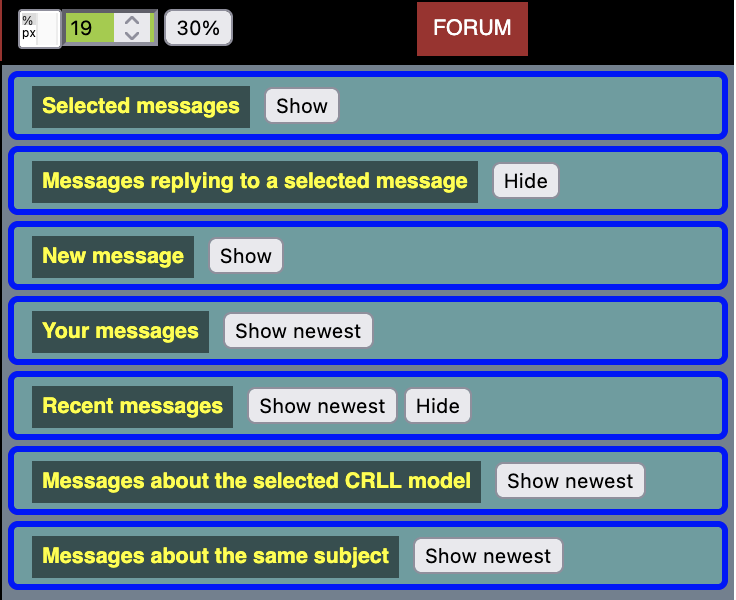
Panel 4: FORUM
Panel 4: FORUM.
Panel 4: FORUM has the following structure and user interactions:
Selected messages - those that you select
Messages replying to a selected message - by all users
New message - where you may write and send a new message
Your messages - those that you have sent
Most recent messages - by all users
Messages about the selected CRLL model - by all users
Messages about the same subject - by all users
All FORUM messages are visible to all CRLLP users.